AimFox Integration
In this guide, you'll learn how to connect Aimfox to Master Inbox so your LinkedIn outreach conversations sync automatically and replies are managed from one place.
Connecting Aimfox with Master Inbox allows you to:
Sync LinkedIn outreach conversations
Centralize replies inside Master Inbox
Manage multiple sending accounts from one place
Keep outreach and inbox fully aligned
This ensures your outbound activity in Aimfox flows directly into Master Inbox without manual work.
Step-by-Step:
Connect Aimfox to Master Inbox
Step 1
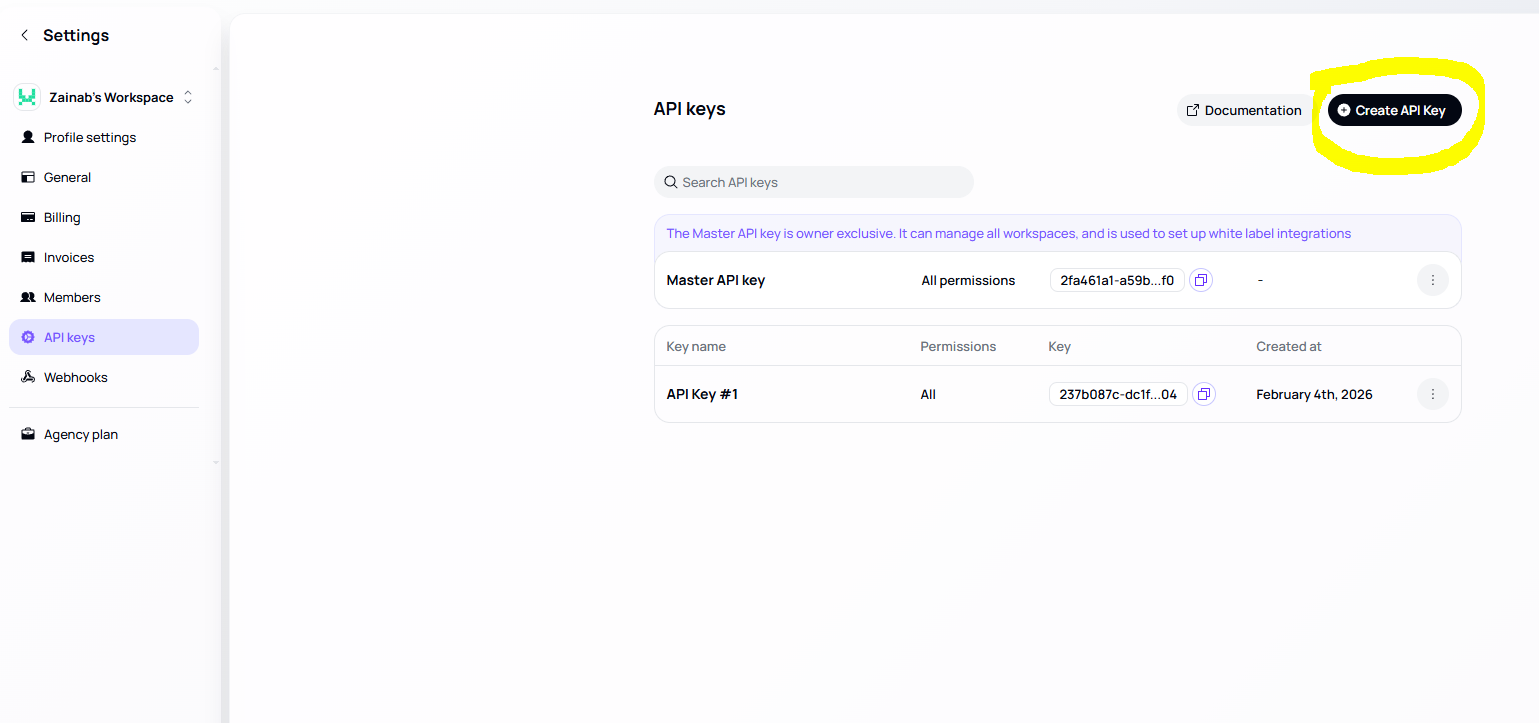
Get Your Aimfox API Key
Log in to Aimfox
Go to Settings
Locate your API key or
Create new API key.
Copy that API key
Step 2
Open Integrations in Master Inbox
Log in to Master Inbox
Go to Settings
Click on Integrations
Look for Aimfox
Step 3
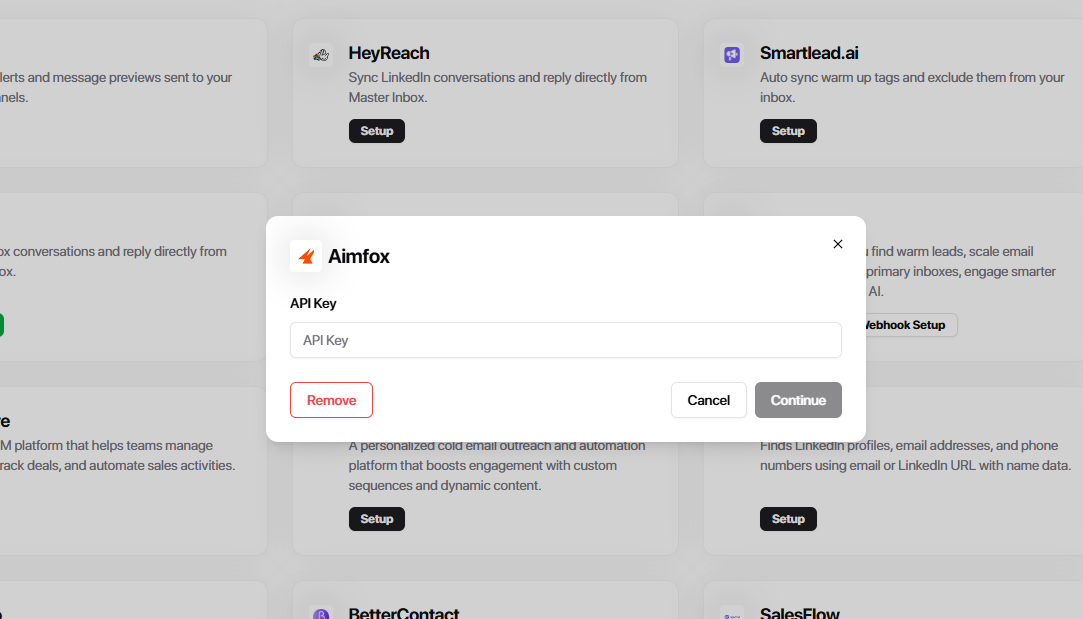
Enter API Key
Paste the Aimfox API Key you copied
Select the Account you want to connect
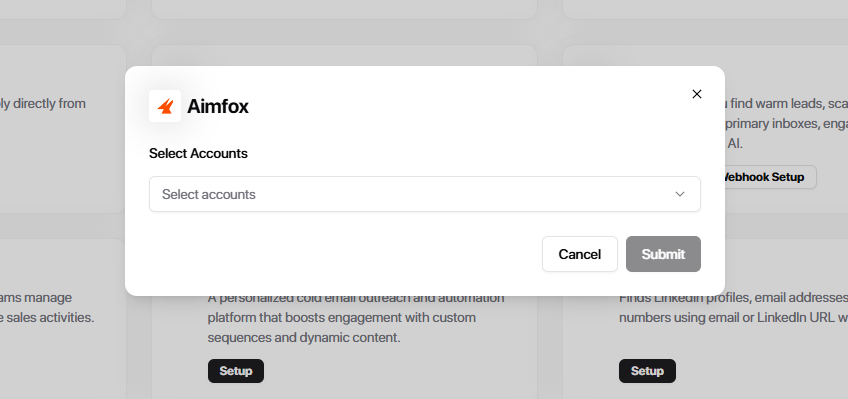
Click Submit
After Submit Your Aimfox account is now connected. Conversations will begin syncing immediately and all LinkedIn outreach replies will appear inside Master Inbox — no manual work needed.